Using AI to write is fine. Publishing its leftovers is not
Hidden characters, chat phrases, tracking links and placeholders that AI tools leave in your text. 9 kinds, where they come from and how to clean them.
I use AI to write every day. That is not the problem. The problem is what comes along with the text when you copy it from a chat window and paste it into your website, newsletter or product page.
Some of it is invisible. Some of it is a sentence nobody deleted. Readers notice the second kind. Machines notice both.
My own site stopped my own deploy
Every release of tomakadlec.com runs an AI trace check before anything goes live. If it finds a certain trace, the deploy stops.
On 11 November 2026 it stopped a deploy of the page for the AI trace check itself. The page shows examples of traces, and those examples ended up in files the framework generates in the background. The gate did its job on its own author. I fixed the check to skip those generated files, not the examples.
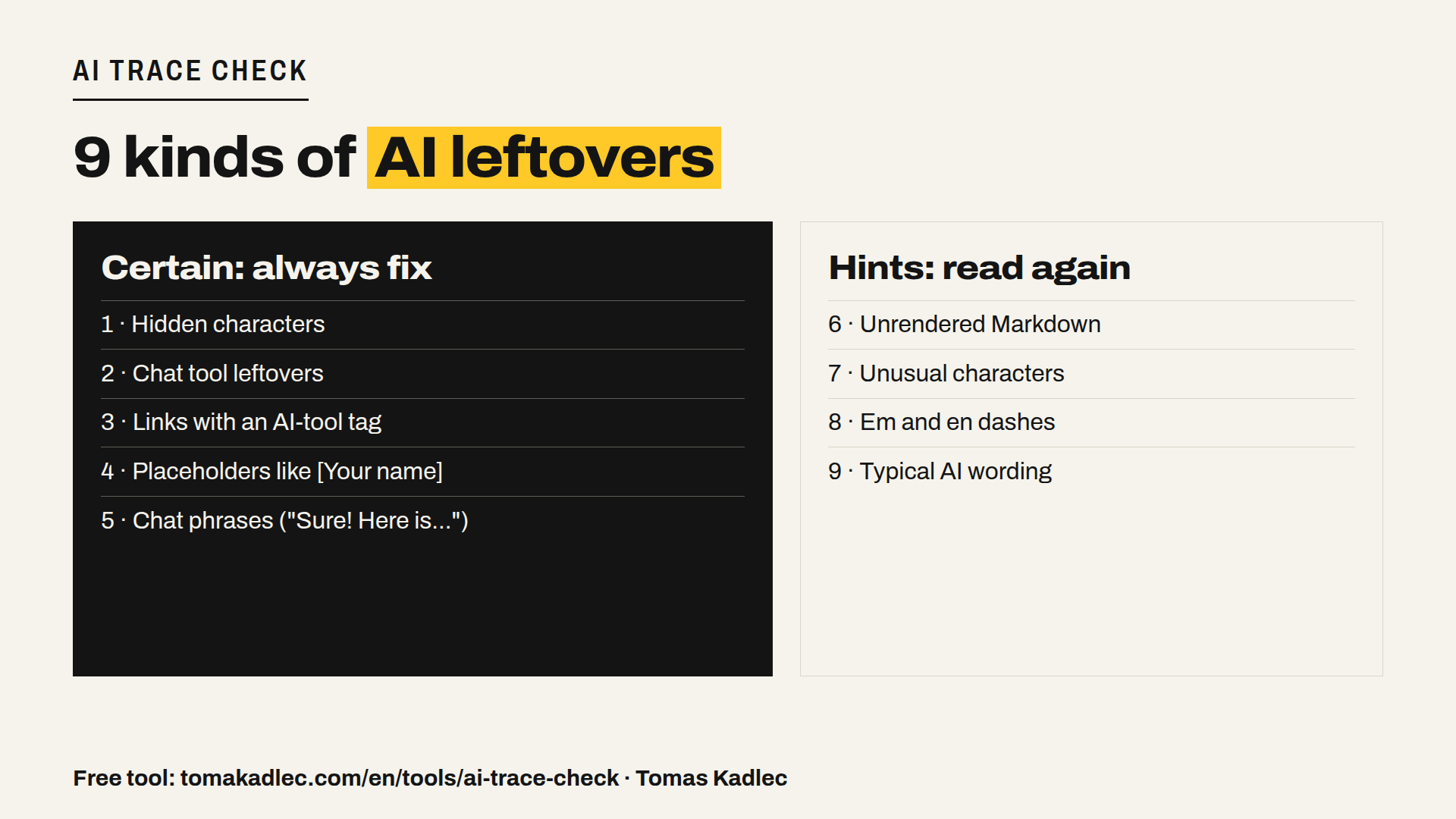
9 kinds of AI traces
The free tool on my site groups everything it finds into nine kinds. The first five are certain traces. The last four also appear in normal human writing, so they are hints, not proof.
Certain traces
- Hidden characters. Zero-width spaces, joiners and other invisible Unicode. They break search, copy-paste and sometimes layout, and you can't see them.
- Tool leftovers. Bits of the chat interface that came with the copy, like citation markers or interface labels.
- Links with an AI-tool tag. Links copied from an AI answer often carry a tracking parameter that names the AI tool. Anyone who hovers the link sees where your research came from.
- Placeholders. A company name in square brackets that nobody filled in, a statistic marked "insert here", a percentage written as two X letters. The classic one.
- Chat phrases. The model introducing itself, the cheerful opener that announces the article, the polite closing wish at the end. The reply to you, published to your readers. (I don't quote them here on purpose: my own site would refuse to publish this article.)
Hints
- Unrendered Markdown. Double asterisks, hash headings and code fences that the target system does not render.
- Unusual characters. Typographic characters your own keyboard never produces.
- Em and en dashes. Humans use them too. In large numbers, in a non-English writer's text, they stand out.
- Typical AI wording. The phrases everyone now recognises. Not wrong, just tired.
Why it matters beyond looking lazy
- Trust. A product page that starts with the chat tool's cheerful opener tells the customer nobody read it. That is a human in the loop who did not look.
- Search and AI search. Hidden characters split words, so the word on the page is not the word people search for.
- Privacy. Tracking parameters and copied links can show which tool and which conversation produced the text.
How to clean it in five minutes
- Paste the text into the tool before you publish. Text mode needs no e-mail, nothing is stored, and you get the cleaned text back.
- Fix the certain traces always. No discussion about hidden characters and placeholders.
- Read the hints with your own eyes. Keep what is your style, change what is not.
- Check the whole website once. The website mode crawls up to 50 pages and sends the full report by e-mail.
- Make it a gate, not a habit. If you publish a lot, run the check automatically before publishing, the way my site does on every deploy.
Summary
AI-assisted writing is normal now. Publishing the leftovers is a quality problem, sometimes a privacy problem. Five certain traces you should never publish, four hints worth a second look, and a check that takes seconds.
Try it free: AI trace check on tomakadlec.com. Paste text or enter a website.
What was the worst AI leftover you ever saw published?
Sources: own deploy gate log of tomakadlec.com, 11 November 2026 · trace rules of the AI trace check (web/api/app/ai_traces.py, grouped in trace_check.py).