Does AI automation pay off? The 5 missing numbers
Vendor ROI calculators multiply hours by rate. 5 numbers they leave out, with examples where 3 minutes of checking decide if automation pays off.
3 minutes of checking per item. In the example below, that is the difference between an automation that pays off and one that is a gamble.
Most vendor ROI calculators ask two things: how many hours you save and what one hour costs. Multiply, and the result always looks great.
I built a free AI automation ROI calculator that asks more. It can also tell you not to automate. Here are the 5 numbers it adds, with two made-up examples to show what each number does. The example results come from the calculator itself, run on 17 November 2026.
1. Checking time
AI does not take a task to zero. Someone reads the draft, fixes it, and does the part that stays manual. That time stays on your payroll.
An example: say you run an e-shop. You want AI to draft 80 product descriptions a month. By hand one takes 20 minutes. Hourly cost 35 EUR, build 1,500 EUR, AI usage 20 EUR plus other costs 40 EUR a month, 2 months of ramp-up, and half of the saved time turns into money.
The only thing I change is the checking time per description:
| Checking per description | Verdict | Payback | What else to note |
|---|---|---|---|
| 8 min | Pays off | ~8 months | Net ~+860 EUR after 12 months, ~+6,140 EUR after 36 |
| 11 min | Borderline | ~11 months | Pessimistic case loses ~2,130 EUR over 36 months |
| 16 min | Does not pay off | ~48 months | Net after 36 months is a loss of ~390 EUR |
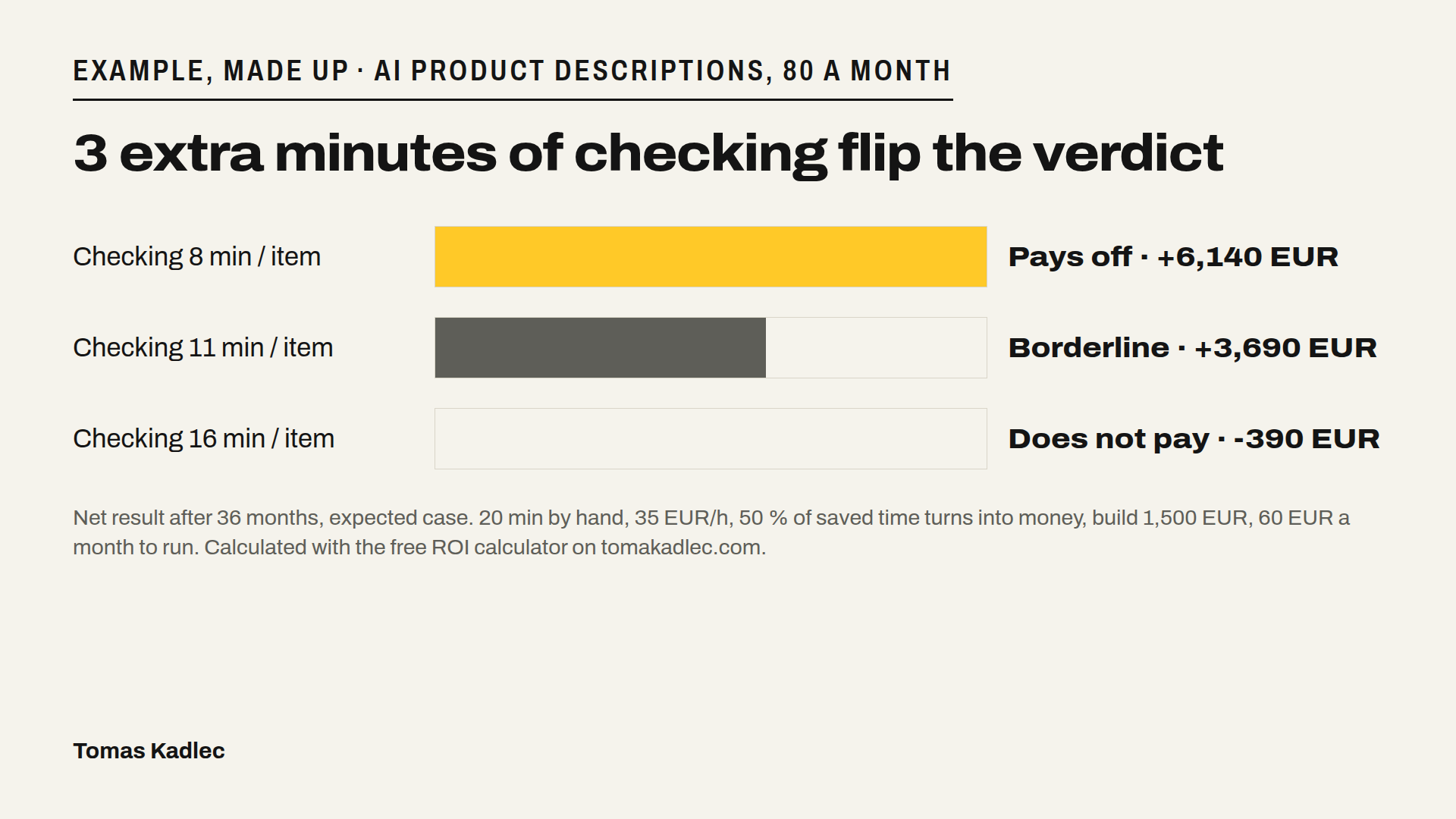
Same tool, same price. 3 more minutes of checking per item move it from "pays off" to "borderline". 8 more minutes and it does not pay off. So measure checking time on real items from your own work before you sign, not on the vendor demo.
2. Share of saved time that turns into money
Saved time is worth money only when it cuts paid hours or frees people for paid work. If the saved minutes just spread over the day, the company saved nothing.
In the calculator you choose 100, 75, 50, 25 or 0 %. Be honest here. In example 1 I used 50 %. This one number is often where a nice business case breaks.
3. Running costs
AI usage, subscriptions, other tools the automation needs. They look small next to the build price. But they come every month and they never stop.
Example 2, also made up: AI summaries of sales calls. 20 calls a month, 15 minutes to write notes by hand, 10 minutes after automation (reading and fixing the summary). 40 EUR an hour, only 25 % of saved time turns into money, build 3,000 EUR, AI 30 EUR plus other costs 60 EUR a month.
The benefit is about 17 EUR a month. The running costs are 90 EUR. It never pays back. To flip it, you would need to save about 111 minutes per call, on a task that takes 15.
Small volume, small saving per run, time that does not turn into money: no case, however good the tool looks.
4. Ramp-up
The first month is not a full month of savings. People learn the tool, prompts get fixed, part of the work is still done by hand. In example 1 I set 2 months of ramp-up. If a calculator starts saving on day one, the payback date it shows is too early.
5. The pessimistic case
One number hides the risk. Look at three: pessimistic, expected, optimistic. And look at where the result flips.
In example 1 with 11 minutes of checking, the expected case pays back in about 11 months. The pessimistic case loses about 2,130 EUR over 36 months. If the decision works only in the expected case, it is a bet, not a business case.
The same method got a real budget approved
A team of 4 people built client presentations by hand, about 119 hours a month. We calculated hours before and after, cost per month, payback and the worst case, and sent it to the Head of IT, the CFO and the CEO. The CEO approved the budget for the AI tools. The tools cost 35 EUR a month, so money was never the problem. The numbers in the language of the CFO were. With my assumptions (30 EUR an hour full cost, 75 % of saved time turning into money, 600 EUR build), payback is about 2 weeks, and it pays off in the pessimistic case too. The full story is in the case study: 106 hours a month saved on presentations.
Checklist before you sign
- Checking time measured on real items, not on the demo
- Share of saved time that really turns into money, said honestly
- All monthly costs: AI usage, subscriptions, other tools
- Ramp-up months
- The pessimistic case, and the point where the result flips
Summary
Hours saved times hourly rate is not a business case. Add checking time, the share of saved time that turns into money, running costs, ramp-up and the pessimistic case. In my e-shop example, 3 minutes of checking decide the case. In the sales call example, running costs eat the whole benefit. In a real case, the same 5 numbers got a budget approved.
Test your own task in the free AI automation ROI calculator, no sign-up, in 5 languages. It shows the verdict, the payback month, three scenarios and where the result flips.
What is the checking time per item in your last AI automation?
Sources: Tomas Kadlec, AI automation ROI calculator, November 2026 (both examples were run in it on 17 November 2026); Tomas Kadlec, AI automation ROI calculator: inputs, scenarios and method, November 2026.