89% raised AI search budgets. 24% can prove it pays
A new survey of 700 marketing leaders: 89% raised AI search spend, only 24% can show a return. How to measure AI search in GA4 in 20 minutes.
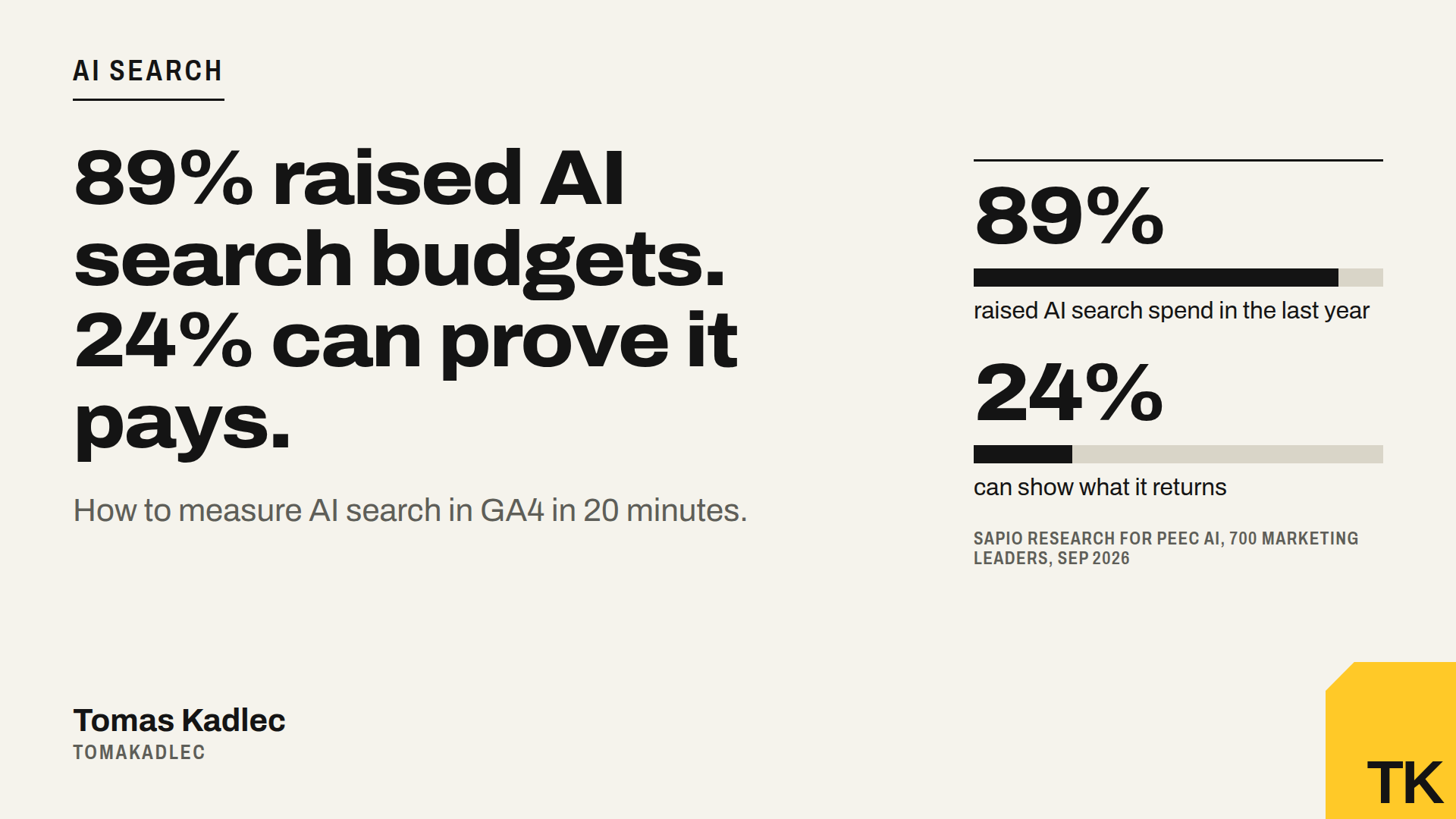
89% of marketing leaders raised their AI search budget in the last year. Only 24% can show what it returns.
That is from a survey of 700 marketing decision-makers in the US, UK and Germany, run by Sapio Research for Peec AI in September 2026 and published on 11 November. Among companies that raised the spend a lot, 64% can not prove a return.
The strange part: 47% say they trace a lead, a deal or revenue to AI search at least once a week. So the money comes. The measurement does not.
My take: you do not need a new tool for the first step. You need 20 minutes in Google Analytics 4 and one honest question on your forms.
Why AI traffic hides in GA4
GA4 puts every visit into a channel by its source. AI tools make that hard:
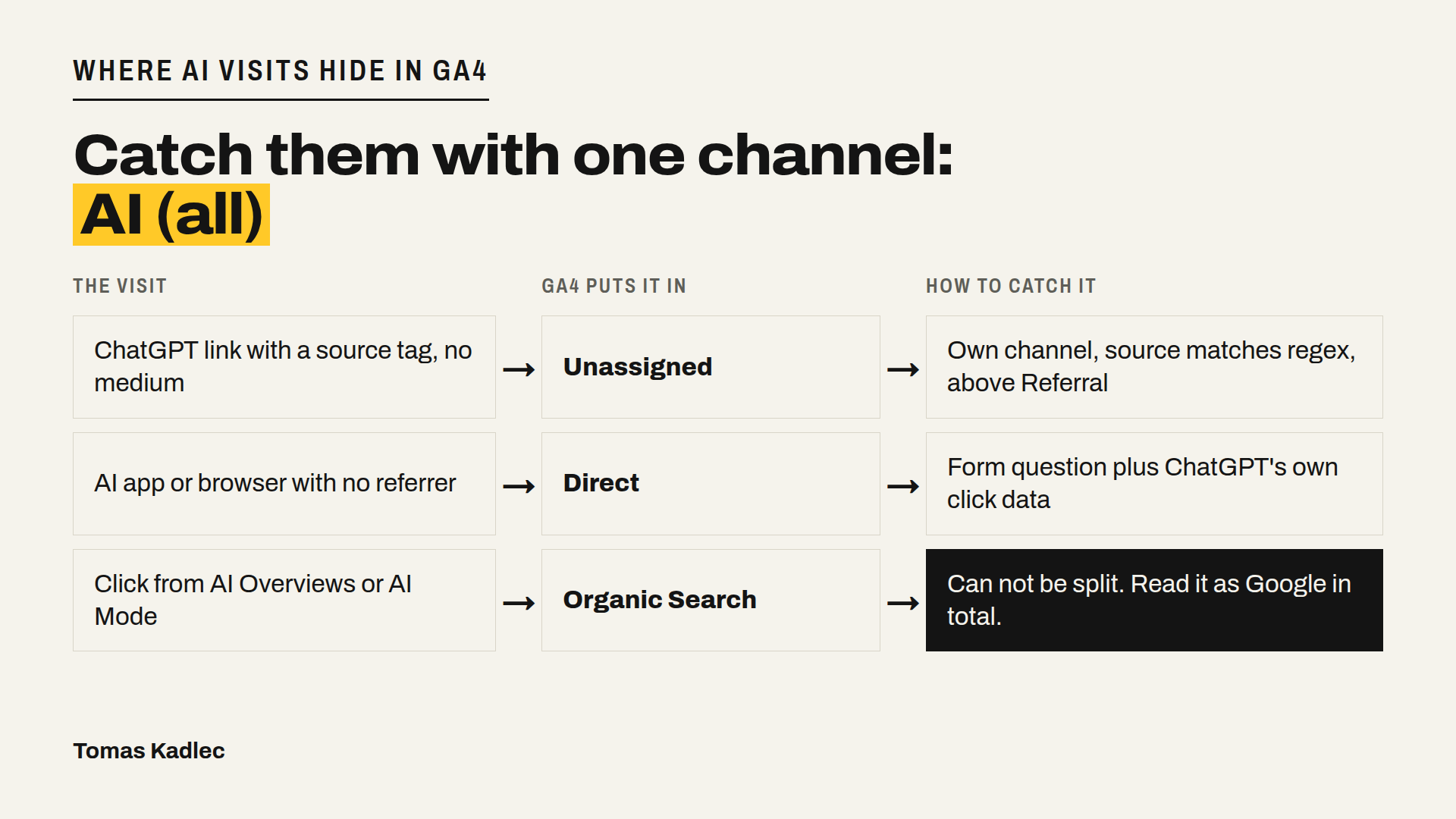
- ChatGPT adds a utm_source tag with the value chatgpt.com to links from its search results (OpenAI says so in its publisher FAQ). The tag has no medium, so a visit can end up as "Unassigned" instead of a clear channel.
- Some apps and AI browsers send no referrer at all. Those visits look like Direct.
- In October 2026, links in ChatGPT's answer text came without tag and without referrer for about a week. Clickport saw identified ChatGPT visits drop 57% that week. OpenAI fixed it, but the gap stays in your data.
- Clicks from Google AI Overviews and AI Mode stay in Organic Search. You can not split them from normal Google clicks.
Since May 2026 the default channel group in GA4 has an "AI Assistant" channel. It is a good start. But it matches known referrers, so the cases above still slip through.
Set it up in 4 steps
1. Check the AI Assistant channel.
Reports, Acquisition, Traffic acquisition, primary dimension "Session default channel group". Write down sessions and key events for the last 28 days. That is your baseline.
2. Build your own channel group.
Admin, Data display, Channel groups, Create new channel group (it starts as a copy of the default one). Add a channel called "AI (all)" with the condition Session source matches regex:
chatgpt|openai|perplexity|gemini|copilot|claude|grok|mistral|deepseek
Then click Reorder and drag the new channel above Referral. Google's own help suggests exactly this, because GA4 puts a visit into the first channel whose rule matches. Custom channel groups also work on older data, so you see past months right away. A standard property can have 2 custom groups.
3. Look at key events, not sessions.
Use the new group in the Traffic acquisition report or in an Exploration. AI visitors are few. If 20 of them bring 3 leads, that is the number your boss wants to see.
4. Add one question to your forms.
"Where did you hear about us?" with "ChatGPT or another AI assistant" as one option. Visits without a referrer never show in GA4, but people remember where they asked. Compare the answers with the GA4 channel once a month.
A second source: ChatGPT's own numbers
Since 10 November OpenAI lets you claim your business in ChatGPT. The dashboard shows mentions, profile views and clicks from ChatGPT to your website. Put that click number next to your "AI (all)" sessions in GA4. If ChatGPT says 200 clicks and GA4 shows 60, you know how much hides in Direct.
Copy this table into your monthly report
| Number | Where | Why |
|---|---|---|
| AI sessions | GA4, channel "AI (all)" | volume |
| AI key events and revenue | GA4, same channel | value |
| Key event rate, AI vs Organic Search | GA4 | is AI traffic better or worse |
| Clicks from ChatGPT | ChatGPT business dashboard | what GA4 misses |
| "AI assistant" answers on forms | CRM or form tool | the part without referrer |
What this will not show you
It will not show the person who read ChatGPT's answer, never clicked, and searched your brand on Google a week later. That shows up as branded search. Keep branded impressions from Search Console next to the table. It is not proof, but it is a signal.
And be careful with the survey too. Peec AI sells AI search tracking, and the numbers are what managers said, not what they measured. But the gap between 89% and 24% is too big to ignore.
Short summary
Most companies spend more on AI search and can not show what it brings. Start with GA4: check the AI Assistant channel, add your own "AI (all)" channel above Referral, look at key events, ask on your forms, and compare with ChatGPT's own click data. One table, once a month.
If you want help to set this up on your site, book a free 20-min call on tomakadlec.com.
Do you know how many leads AI search brought you last month?
Sources: Peec AI Primary Sources survey by Sapio Research, 700 marketing decision-makers with manager level or above (US 300, UK 200, Germany 200), September 2026, press release 11 November 2026 (vendor survey) · OpenAI, Publishers and developers FAQ (utm_source tag on ChatGPT search links) · Clickport, ChatGPT traffic in GA4, data from 25 September to 21 October 2026 (vendor data) · Google Analytics Help, Custom channel groups · GA4 AI Assistant default channel, May 2026, reported by Search Engine Land · Search Engine Roundtable, 11 November 2026 (ChatGPT business dashboard with click data).