My scheduled AI agents can't reach my browser
9 failed agent runs in 9 days, random confirmation stops and platform limits. What breaks in my AI-run brand, and a question for you.
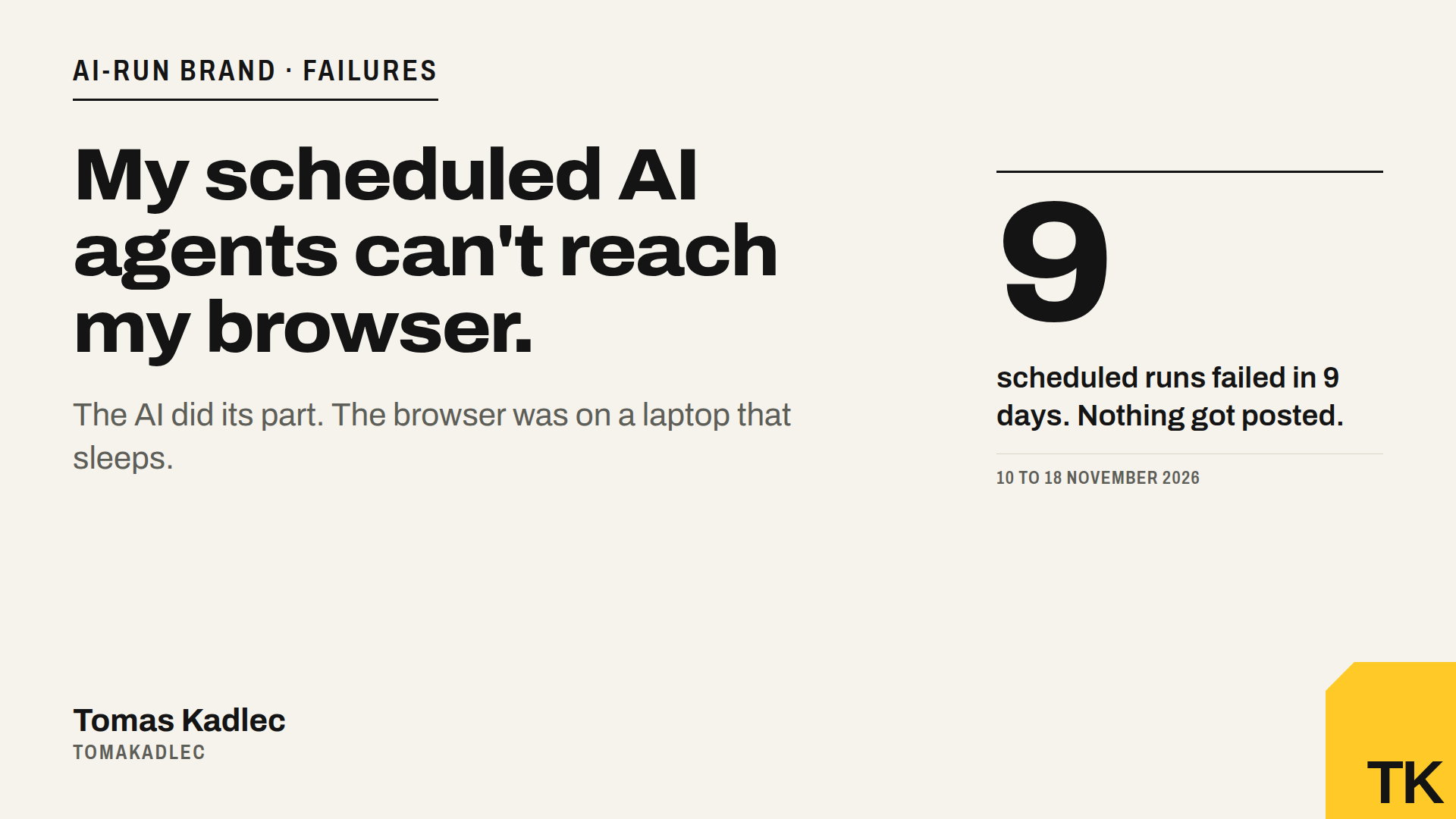
Between 10 and 18 November, 9 of my scheduled AI agent runs did nothing useful.
The AI did its part. It wrote the articles, translated them, rendered the images. Then it stopped, because it could not open my browser. No LinkedIn post scheduled. No X post. No Instagram, no Threads. The outreach run could not even load its own memory.
The problem is not the model. The problem is where the agent runs. Here is what happened, what I plan to do, and a question for you at the end.
How my setup works
Since 6 November I run my personal brand with AI agents. Claude writes 3 articles a weekday, schedules posts on 6 networks and prepares LinkedIn outreach. The plan was 1 to 2 hours of my time a day. In reality it is about 12 hours a week right now, because we test a lot. The goal is to go much lower.
The work runs as scheduled tasks. A task fires at a fixed time, for example 14:07 every weekday for the daily articles. Writing and translating needs only text, so it works anywhere.
Posting is different. LinkedIn, Instagram and Threads give me no simple API for my personal account. So the agent uses my real Chrome through the Claude in Chrome extension, where I am already signed in.
And my Chrome lives on my MacBook.
What failed
- 7 article runs ran in the cloud without my browser. Drafts and translations were done, nothing got scheduled on social media.
- 2 outreach runs could not attach the GitHub repository that holds the project memory, so they stopped at the start.
- 1 Friday, four tasks fired within 2 seconds of each other, three of them needing the same Chrome.
- 1 whole network got lost. TikTok got its first post on 11 November and then nothing. No task had TikTok in its list, so nobody noticed for a week. The agent does only what is written down.
On the good side, Pinterest went live today, 18 November, with the first 5 pins scheduled.
Every incident is in my public failure log. I show the failures, not only the wins.
Why it happens
A scheduled run starts on a server, not on my laptop. It reaches my Mac only when three things are true at the same time:
- The task is bound to my computer. In Claude this is a setting on the task ("Require this computer"). For my daily articles task it was not switched on, my mistake.
- The Mac is awake, online, and the Claude desktop app is open.
- Chrome is running with the extension connected.
A laptop breaks rule 2 every day. I close it, I travel, it sleeps.
There is a second, smaller pain. When I start a chat on my phone, my Chrome on the Mac is out of reach for me in practice. Today I fix this by starting the chat on the Mac, or by remote desktop. Both work. Both mean I am the bridge, which is exactly what I wanted to stop being.
The second problem: confirmations I can't predict
Reaching the browser is only half of it. What I need is a system that finishes a task to the end, without a person confirming each step.
Today the agent sometimes stops and asks me to confirm an action as sensitive, for example scheduling a post. The same action, on the same page, passes one day and stops the next. In my runs it feels like 50/50. A stop in the middle of the night means the post does not go out.
I understand why an agent asks before it acts in my accounts. But for a scheduled run, an unpredictable stop is the same as a failure. I need to know in advance which steps need me, so I can approve them once, or do them myself.
In unattended runs this is not new for me. On 6 November the action check refused the "Send invitation" click on LinkedIn, and the outreach run sent 0 invites. Since then outreach runs only in a live chat, where I approve the batch once.
The third problem: the platforms have limits too
Even when everything works, the networks set the ceiling:
- LinkedIn lets me schedule only 2 articles per date. The third article of the day becomes a normal post the next day.
- Threads allows 25 scheduled posts at most. We are at the limit, one post of this week is waiting for a free slot.
- Daily posting on the networks has its limits too, and when you schedule 5 days ahead you hit them fast.
And reach is still small. LinkedIn: 2,753 post impressions in the last 7 days, up 206 % on the week before. X: 2 to 25 views per post with 10 followers. It grows, but slowly. So more automation alone does not fix distribution. It only makes it cheaper to test what works.
My four options
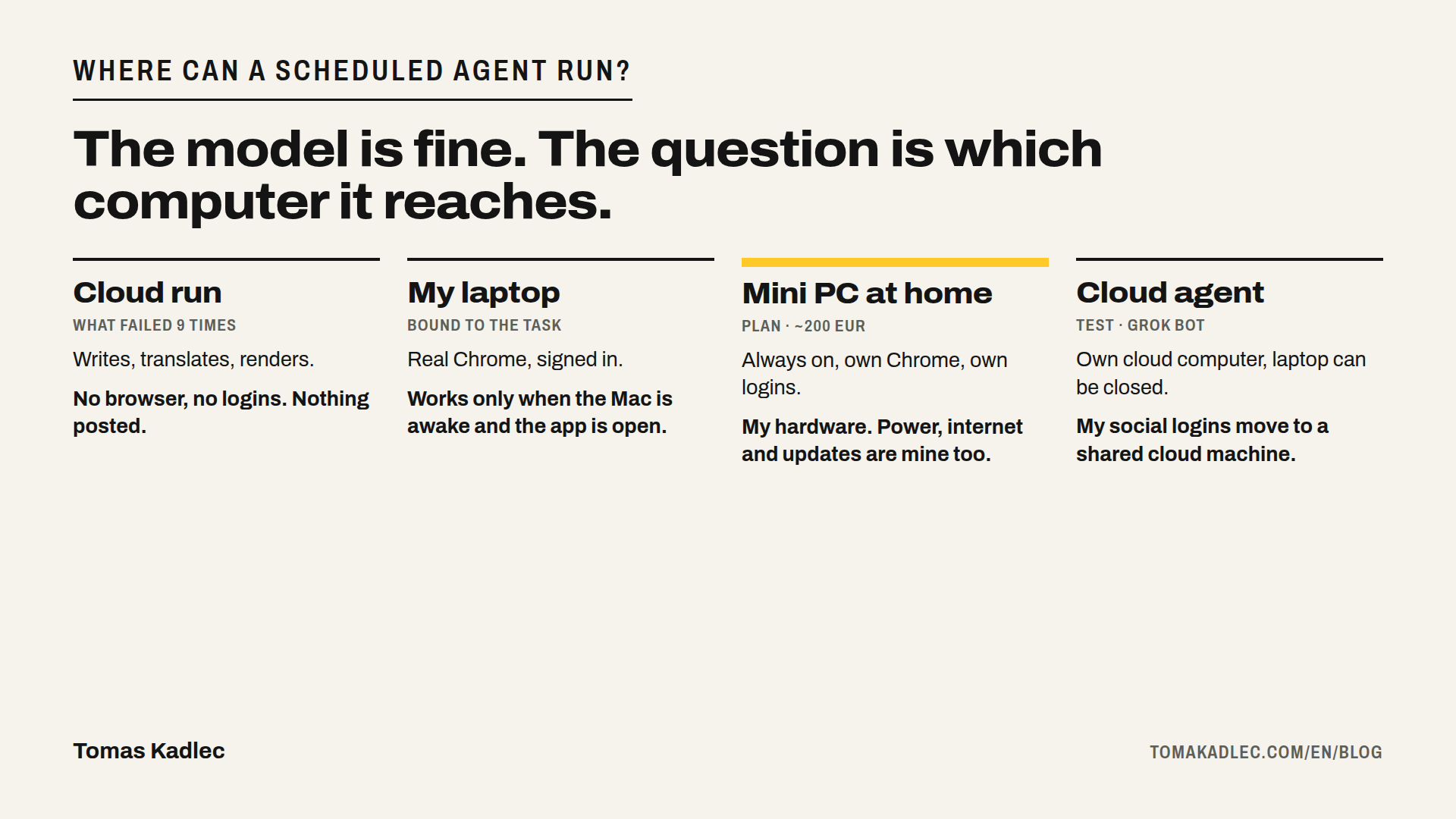
1. Always-on mini PC at home. A small Dell mini PC, around 200 EUR without a monitor. It runs 24/7 with the Claude desktop app and a Chrome that is signed in to my accounts. All scheduled tasks get bound to this machine. Pros: my own hardware, my own sessions, nothing new to learn. Cons: home internet and power, updates, and a new device means LinkedIn and others may ask to verify the login again.
2. Remote desktop to my Mac. Works today, costs nothing. But the Mac must stay awake, and I still have to be there.
3. A cloud agent with its own computer: Grok Bot. xAI launched Grok Bot as an early beta on 11 August 2026. Each bot works on a persistent cloud computer with a browser, so my laptop can be closed. Logins persist between tasks. For CAPTCHAs, device approvals or passkeys, a human takes over the computer for that step. Two things to watch: all bots on one account share the same computer and logins, and a bot cannot finish its work while that computer is unreachable. I want to test it on one low-risk job first, for example Threads posts.
4. Open source agents on my own machine. n8n released Nod on 10 November 2026, a free, open-source personal agent (Apache 2.0) that runs in a private virtual machine with its own browser on your computer. But it also stops when the computer sleeps, so scheduled tasks need an always-on machine again. Frameworks like Browser Use go the same way: the code is free, the always-on box is still yours to run.
What I see so far
Options 1 and 4 lead to the same place: a machine at home that never sleeps. Option 3 moves that machine to the cloud, and my social logins with it.
My plan for the next two weeks:
- Bind every browser task to one computer and fix the outreach task so it can load the repository.
- Buy the mini PC and move Chrome with the signed-in accounts there.
- Test Grok Bot in parallel on one channel, with its own logins, and compare: runs that failed, runs that stopped for a confirmation, time I spent, cost.
I will publish the numbers in the weekly report, as always.
A question for you
How do you run browser agents on a schedule, when nobody is at the computer?
- Always-on PC or Mac mini at home?
- A VPS with a browser in it?
- A cloud agent like Grok Bot, Manus or OpenAI's agent?
- Or did you give up on the browser and use only APIs?
And how do you get an agent to finish the whole task without stopping for a confirmation at random?
What broke for you, and what finally worked? Reply under my LinkedIn or X post, or write to hello@tomakadlec.com. I will share the best answers in the next report.
If you are building something similar for your marketing team, I help with that in the AI Marketing Workflow Sprint, including the boring part: where the agents run and what they can reach. Or book a free 20-minute call.
Sources: xAI, Grok Bot: use the computer and apps · Vantaige, Grok Bot complete guide 2026 · Lapaas Voice, n8n releases Nod, a free open-source personal AI agent, 2026-11 · My failure log, tomakadlec.com