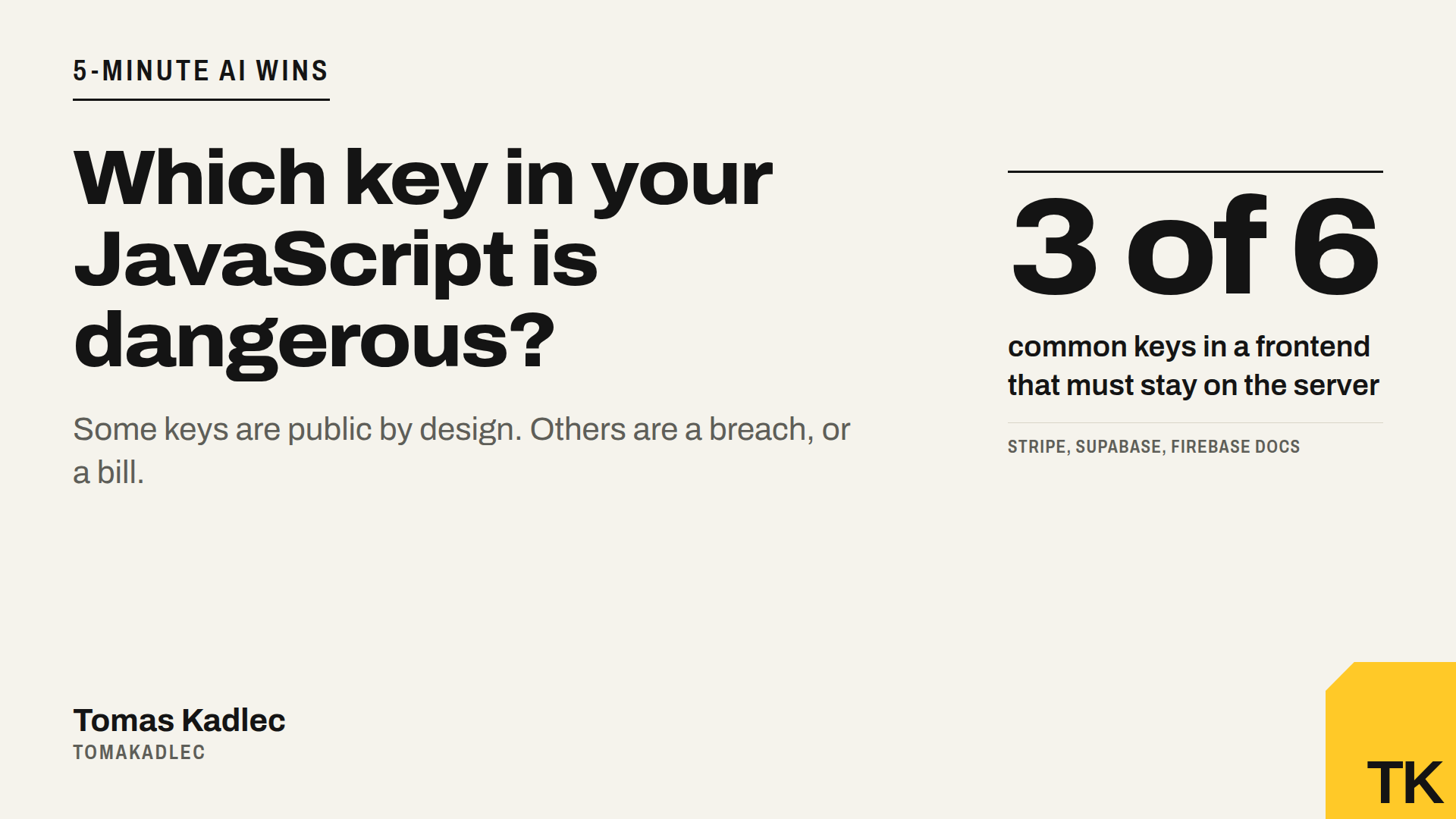
Which key in your JavaScript is dangerous?
A key in your frontend is not always a leak. Which keys are public by design, which ones are a breach or a bill, and how to check your own site.
Someone opens your site, presses F12 and finds a key in your JavaScript. Is that a breach? Not always.
AI builders like Lovable, Bolt, v0 or Replit often put keys into the frontend. Some of them are meant to be there. Some of them give a stranger your database, or your OpenAI bill. You need to know which is which.
Two days ago I ran my own Website security check on my own site. 6 warnings, and one of them was my tool's mistake. So I know how it feels when a scanner shouts at you. A good check must tell you what is really dangerous, not only that it found a long string.
Public keys: meant to be seen
These keys identify your app. On their own they do not give anyone power.
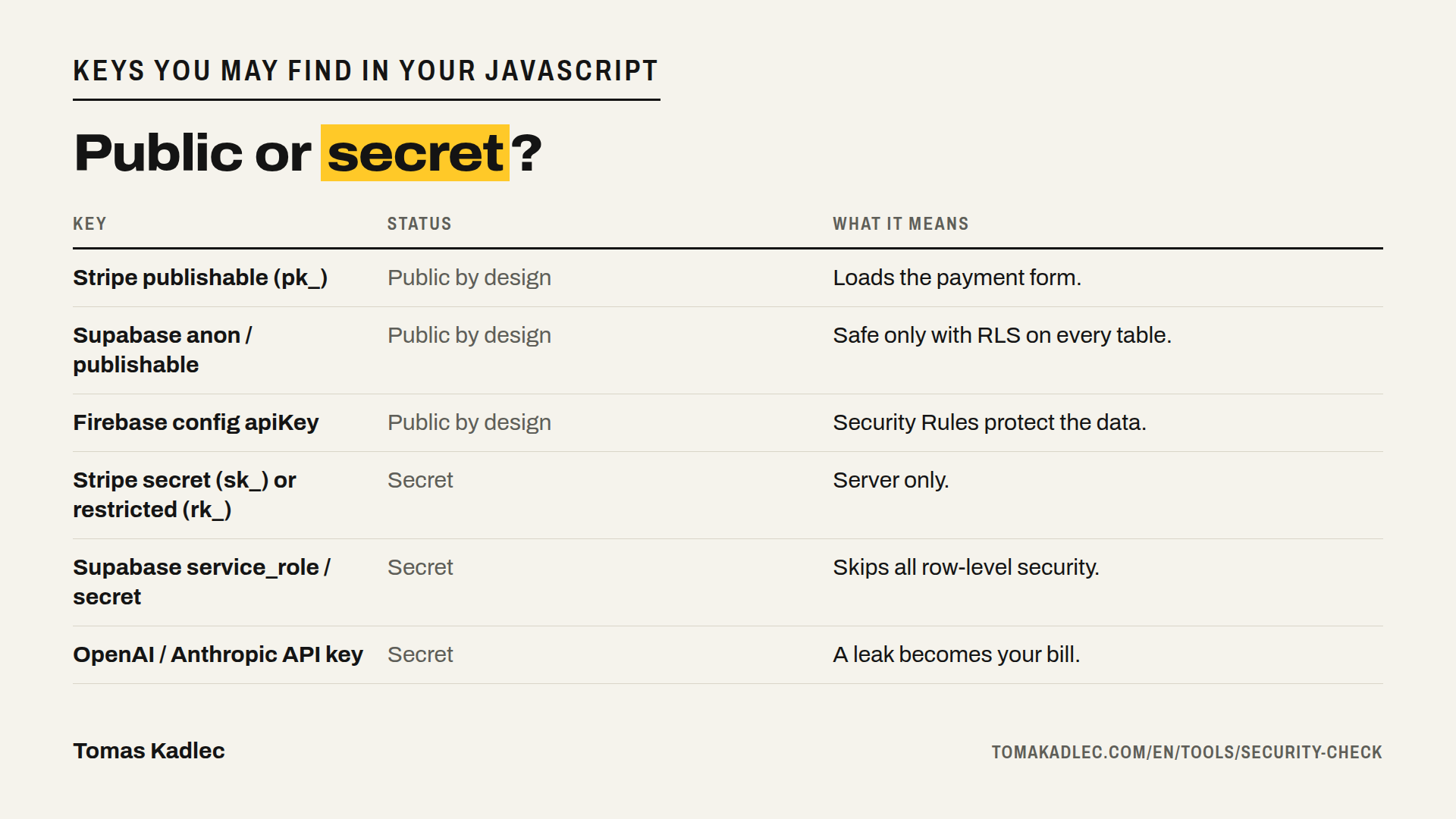
- Stripe publishable key, starts with pk_live or pk_test. Stripe's own docs call it the key you can put in front-end code. It loads the payment form.
- Supabase anon key, in new projects called the publishable key, starts with sb_publishable_. It is designed to sit in browser code. But it is only as safe as your Row Level Security (RLS). A table without RLS can be read and changed by anyone who has the key. And everyone who opens your site has the key.
- Firebase config, the apiKey in firebaseConfig. Firebase says these keys only identify your project. Your data is protected by Security Rules and App Check, not by hiding the key.
If a scanner flags only these, you did not leak a secret. You still have homework: check the rules behind them.
Secret keys: a breach or a bill
- Stripe secret key, starts with sk_live in live mode or sk_test in the sandbox. Stripe describes it as a key with unrestricted permissions on all Stripe APIs. Restricted keys, starting with rk_, also stay on the server.
- Supabase service_role key, new name secret key, starts with sb_secret_. It skips all RLS policies. Whoever has it can read, change and delete every row in your database.
- OpenAI and Anthropic API keys. OpenAI writes that a key in a browser lets malicious users make requests on your behalf, which can mean unexpected charges. This is the bill part. The AI feature in your app becomes free AI for someone else, on your card.
There are safety nets. OpenAI disables keys it detects on the public internet. Anthropic deactivates keys that GitHub finds in public repositories. Stripe notifies you and may deactivate an exposed secret key. Good, but do not build your security on someone else catching your mistake.
One common way secrets end up in the browser: the variable name. In Next.js, a variable that starts with NEXT_PUBLIC_ is sent to every visitor. Put a service_role key behind that prefix and you have shipped your master key.
Check your own site in 10 minutes
- Run the free Website security check on your URL. It only reads what any visitor can see.
- Open your site in Chrome, press F12, open Sources and search all files (Ctrl+Shift+F, on Mac Cmd+Option+F) for sk_live, rk_live, service_role, sb_secret_, openai and anthropic.
- Found a long Supabase key that starts with eyJ? It is a token. Decode the middle part with any JWT decoder and read the role field. anon is fine. service_role is not.
- For every public key, check the rules behind it. In Supabase, RLS must be on for every table. In Firebase, no rule that lets everyone read and write.
The prompt for your AI builder
Copy this into Lovable, Bolt, Cursor or Claude Code:
Check this project for API keys and secrets that reach the browser.
List every key used in frontend code and every environment variable with a public prefix like NEXT_PUBLIC_ or VITE_.
Mark each one as public by design (Stripe publishable, Supabase anon or publishable, Firebase config) or secret (Stripe secret or restricted, Supabase service_role or secret, OpenAI, Anthropic or any other AI provider).
Move every secret to a server-side function and call that function from the frontend.
Check that Row Level Security is on for every Supabase table and show me the policies.
Do not change anything else. At the end, tell me which keys I must rotate.
If a secret key already shipped
Rotate first, clean later. Deleting the key from your code is not enough. It was public, and copies stay in your git history and maybe in someone's logs.
OpenAI tells you to rotate a leaked key immediately from the API Keys page. Stripe tells you to rotate it in the Dashboard and replace it in your integration. Then set limits. OpenAI recommends monthly spend limits with hard enforcement, and Anthropic says its limits act as a safeguard against leaked keys. A limit does not stop the leak. It stops the bill from growing without end.
What no outside check can see
My tool sees what your site sends to a browser. It does not see your database rules, who can log in, your payment logic or your private API routes.
So a Supabase anon key with no RLS looks exactly the same from outside as one with perfect RLS. The key is fine in both cases. The data is not. This part needs someone to look inside the project.
Summary
A key in your JavaScript is not automatically a leak. Publishable, anon and Firebase config keys are public by design, so check the rules behind them. Secret keys for Stripe, Supabase service_role and AI providers must stay on the server. If they reached the browser, rotate them today.
Run the free check: Website security check, one URL, no sign-up. If you found a secret key or you are not sure your database rules hold, book a free 20-minute call and we look at it together.
Which keys did your AI builder put in your frontend?
Sources: own run of the Website security check on tomakadlec.com, 18 November 2026 · Stripe, API keys, checked 18 November 2026 · Stripe, Best practices for managing secret API keys, checked 18 November 2026 · Firebase, Learn about and manage API keys for Firebase, checked 18 November 2026 · Stingrai, Supabase anon key: is it safe to expose? RLS and 2026 keys, checked 18 November 2026 · ShipAnySaaS, Supabase service role key vs anon key, checked 18 November 2026 · DEV Community, Is my Supabase anon key exposed?, checked 18 November 2026 · OpenAI Help Center, Best practices for API key safety, checked 18 November 2026 · OpenAI Help Center, Keeping your OpenAI account secure, checked 18 November 2026 · Anthropic Support, API key best practices: keeping your keys safe and secure, checked 18 November 2026.